
Getting Started
Wallet-Pay Quick Start
Integration Sequence Diagram
Take an e-commerce application as an example:
sequenceDiagram
    participant User
    participant Merchant
    participant Dash as Wallet Pay Dashboard
    participant Ecommerce Frontend
    participant Ecommerce Backend
    participant WPS as Wallet Pay Service
    participant WPI as Wallet Pay UI

    %% Preparation Phase
    rect rgb(191, 223, 255)
    note over Merchant,Dash: Preparation Phase
    Merchant ->> Dash: 1. Dashboard account registration
    Merchant ->> Dash: 2. Create a new organization
    Merchant ->> Dash: 3. Create a new payment application
    Merchant ->> Dash: 4. Register API Key
    Merchant ->> Dash: 5. Register Webhook endpoint
    end

    %% Runtime Phase - Order Payment
    rect rgb(200, 255, 200)
    note over User,WPI: Runtime Phase - Order Payment
    User ->> Ecommerce Frontend: 0. Create an order
    Ecommerce Frontend ->> Ecommerce Backend: 1. Order creation request
    Ecommerce Backend ->> WPS: 2. Create payment order (SDK call)
    WPS -->> Ecommerce Backend: Return wallet order number
    Ecommerce Backend -->> Ecommerce Frontend: Return wallet order number
    Ecommerce Frontend ->> WPI: 3. Launch payment interface (assemble URL)

    WPI ->> User: 4. Display payment confirmation interface
    User ->> WPI: User confirms payment
    WPI ->> WPS: 5. Submit payment request

    WPS ->> Ecommerce Backend: 6. Webhook event callback (payment result)
    Ecommerce Backend -->> WPS: Webhook response confirmation
    Ecommerce Backend ->> Ecommerce Backend: 7. Update order status
    Ecommerce Backend ->> Ecommerce Backend: Start logistics process
    end

    %% Runtime Phase - Reward Sending
    rect rgb(255, 230, 200)
    note over User,WPS: Runtime Phase - Reward Sending
    User ->> Ecommerce Frontend: 1. Request reward redemption
    Ecommerce Frontend ->> Ecommerce Backend: 2. Initiate reward redemption request
    Ecommerce Backend ->> WPS: 3. Initiate transfer request (SDK call)
    WPS ->> WPS: 4. Transfer from merchant wallet to user wallet
    WPS ->> Ecommerce Backend: 5. Transfer result notification (Webhook)
    Ecommerce Backend -->> WPS: Webhook response confirmation
    Ecommerce Backend ->> Ecommerce Backend: 6. Process business based on transfer result
    end
Dashboard Operation Instructions
Dashboard is the management backend for Wallet-Pay, providing functions such as creating applications, configuring applications, and managing orders.
You can consult our customer service for the access address of the Dashboard.
Technical Support TG: @Openweb3WalletPay
Dashboard entry link:
Telegram: https://tg-socialwallet.wallet-pay.openweb3.io
Dejoy: https://dejoy-socialwallet.wallet-pay.openweb3.io
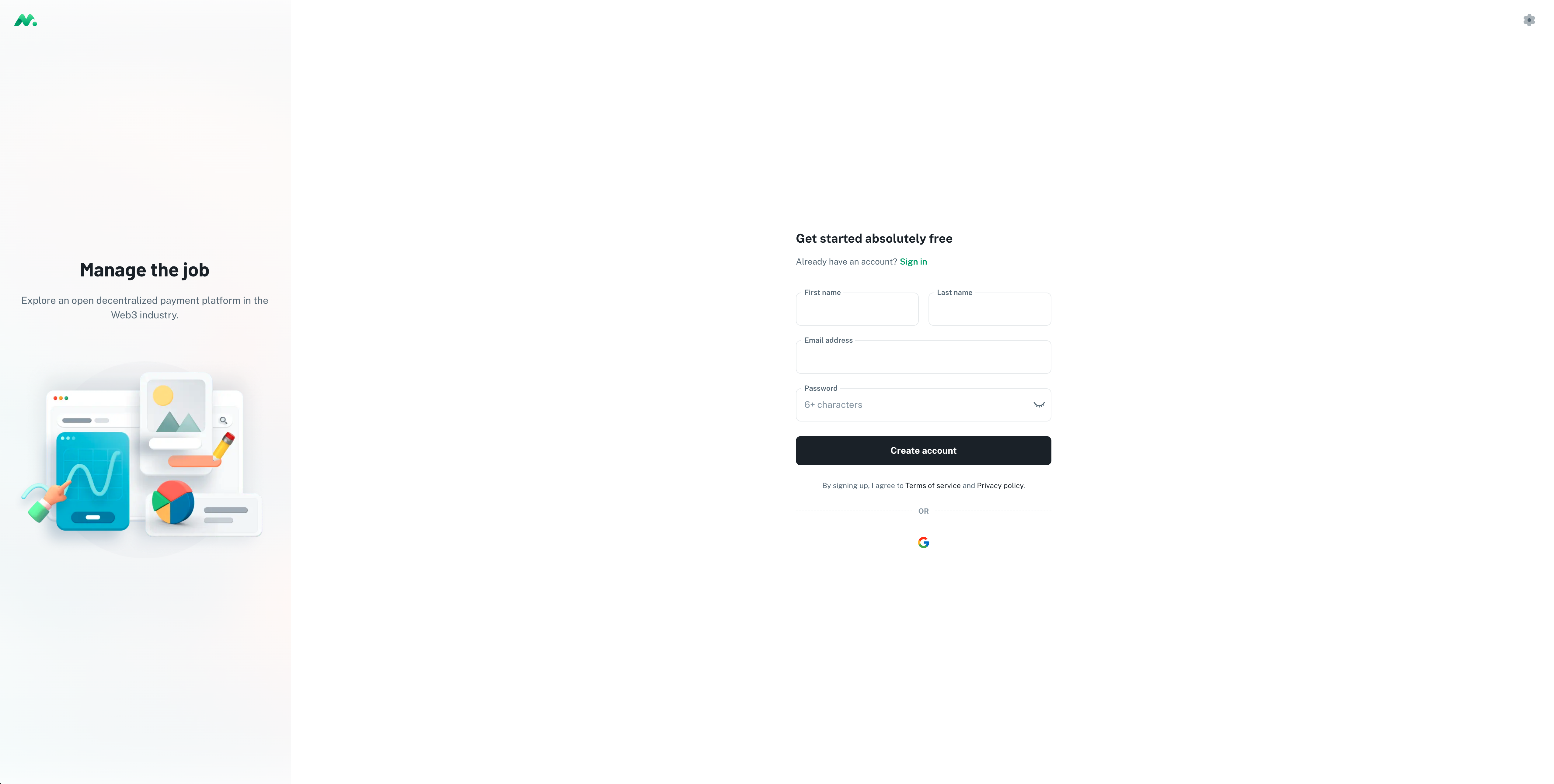
Register Account
You can register with an email or log in with Google, and follow the instructions to complete the 2FA registration and binding.
Create Team
After registering an account, you will be redirected to the team list page by default.
If you don't have a team, you can contact Technical Support to apply to join an existing team or create a new one.
By clicking the Create team button, you can follow the instructions to create a new team.
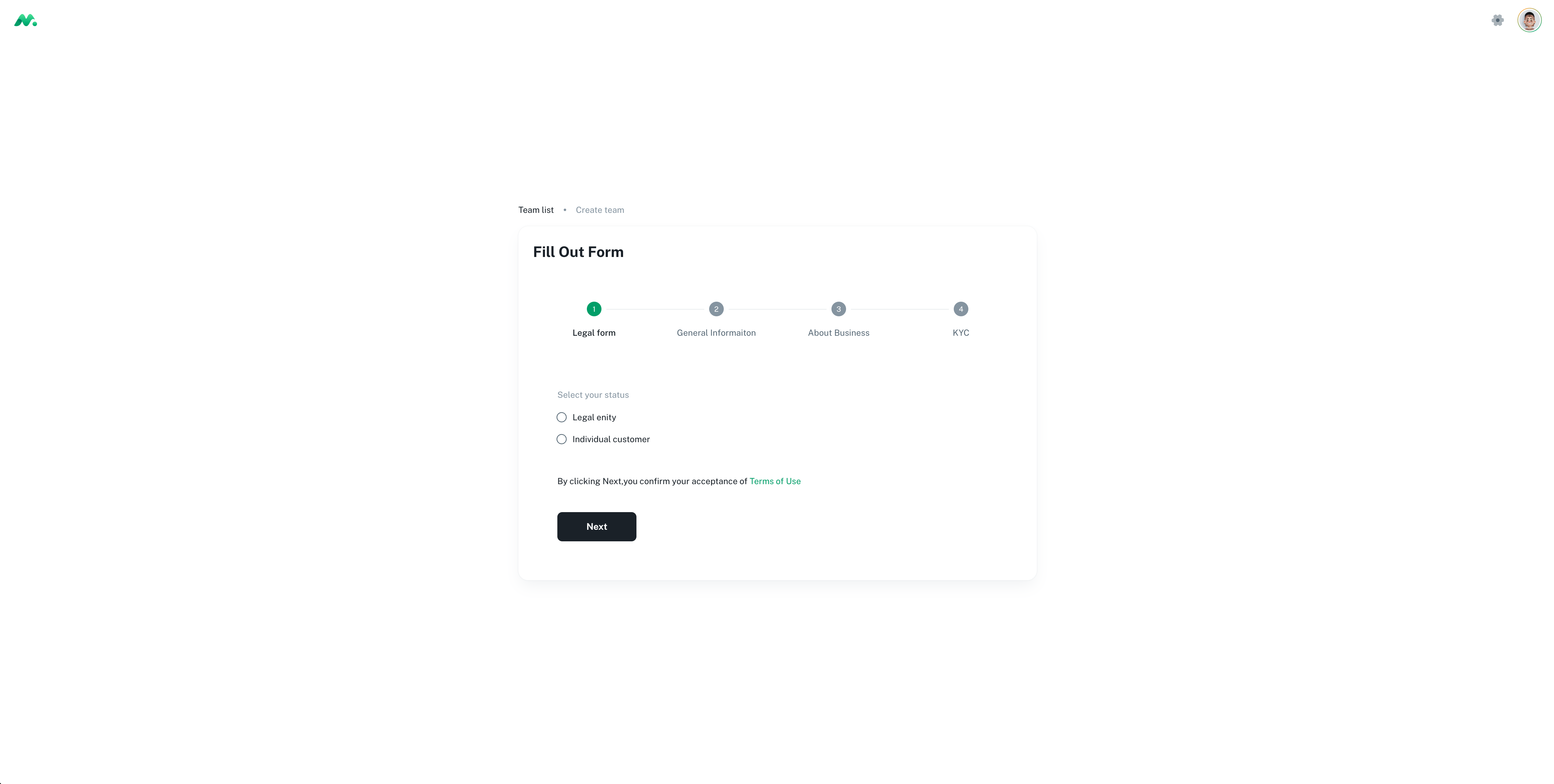
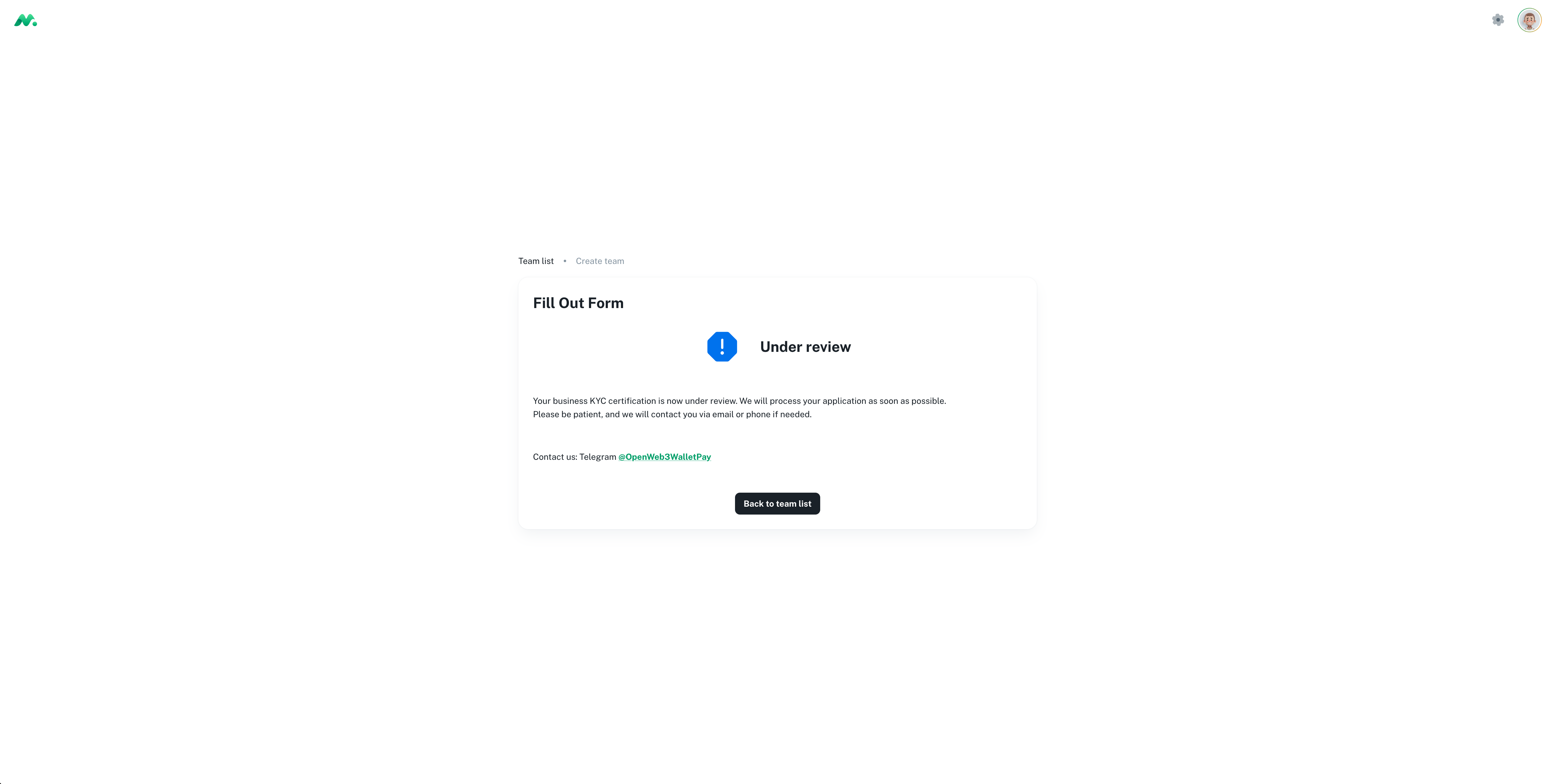
After submitting the team information, you need to contact Technical Support for approval.
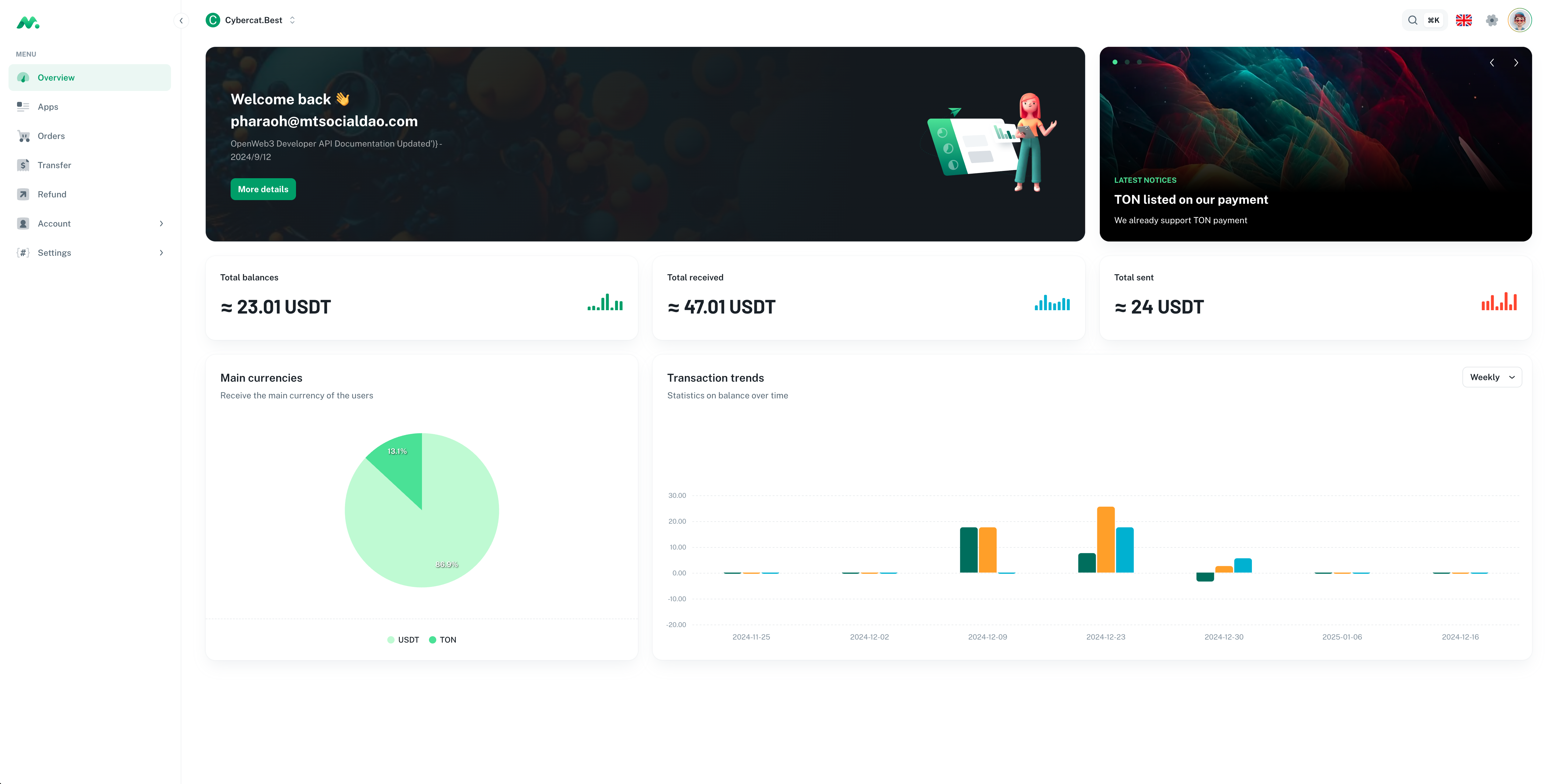
After approval, or after being invited to a team, you can manage applications and view information such as accounts, orders, and refunds in the Dashboard.
Create Application
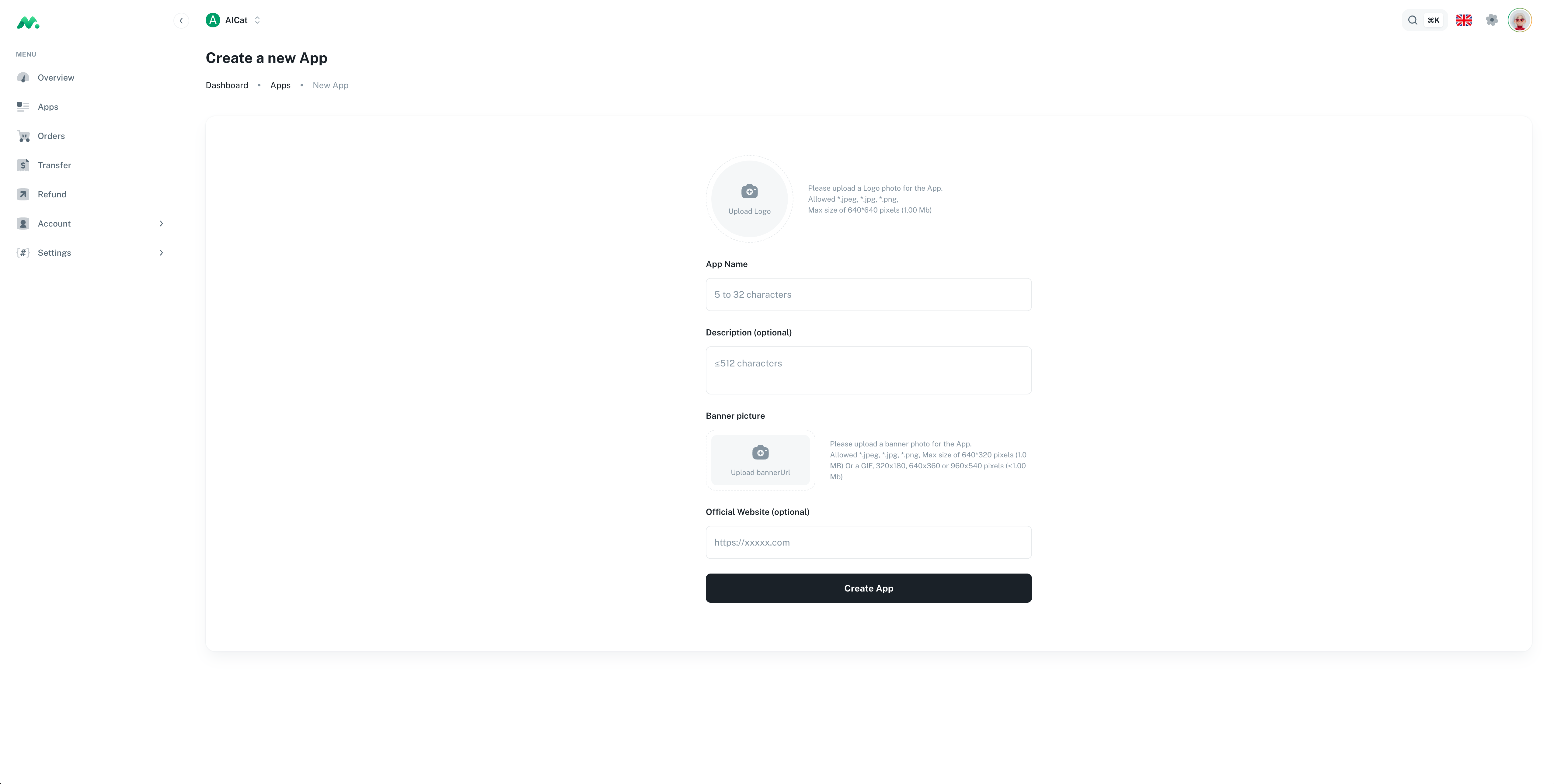
After logging into the Dashboard and entering a team, you can create a new application by clicking Apps -> New App.
Configure Application
Register API Key
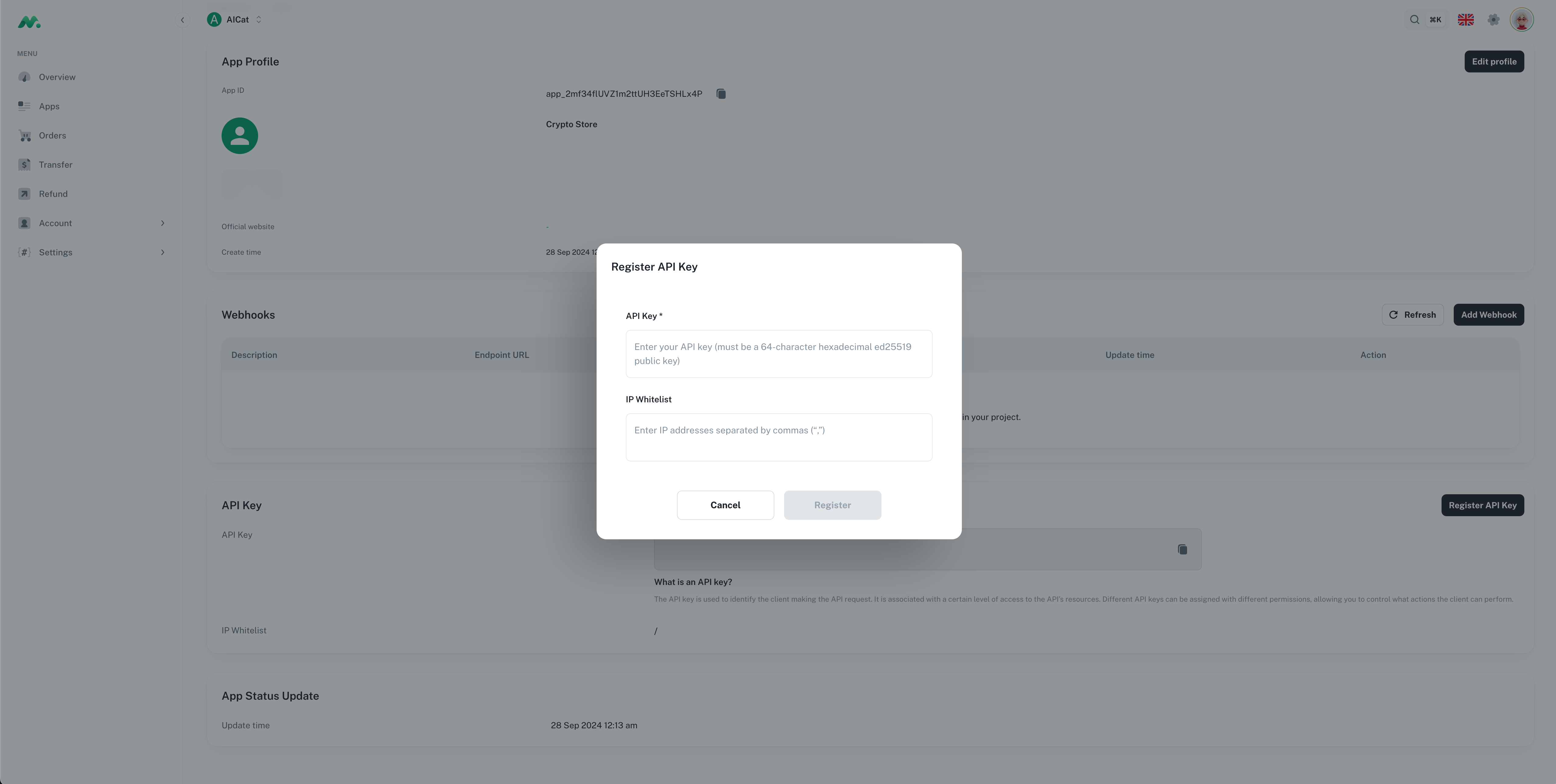
API KeyIf you need to use the SDK to make OpenApi interface calls, including creating orders, querying order status, etc., you need to register an API Key in the Dashboard first.
The ED25519 algorithm APIKEY is used here. You can refer to the following method to generate the key pair.
# Generate a private key and save it to the `private.key.pem` file
openssl genpkey -algorithm ed25519 -out private_key.pem

# Extract the public key from the private key and save it to the `public.key.pem` file
openssl pkey -in private_key.pem -pubout -out public_key.pem

# Export the private key in hexadecimal format
openssl pkey -in private_key.pem -text | \
grep 'priv:' -A 3 | tail -n +2 | tr -d ':\n '

# Export the public key in hexadecimal format
openssl pkey -pubin -in public_key.pem -text | \
grep 'pub:' -A 3 | tail -n +2 | tr -d ':\n '
After the key pair is generated, register the public key to the application through Apps -> App Settings -> Register API Key.
The private key needs to be kept properly by yourself and will be used when using the SDK.
Configure Webhook
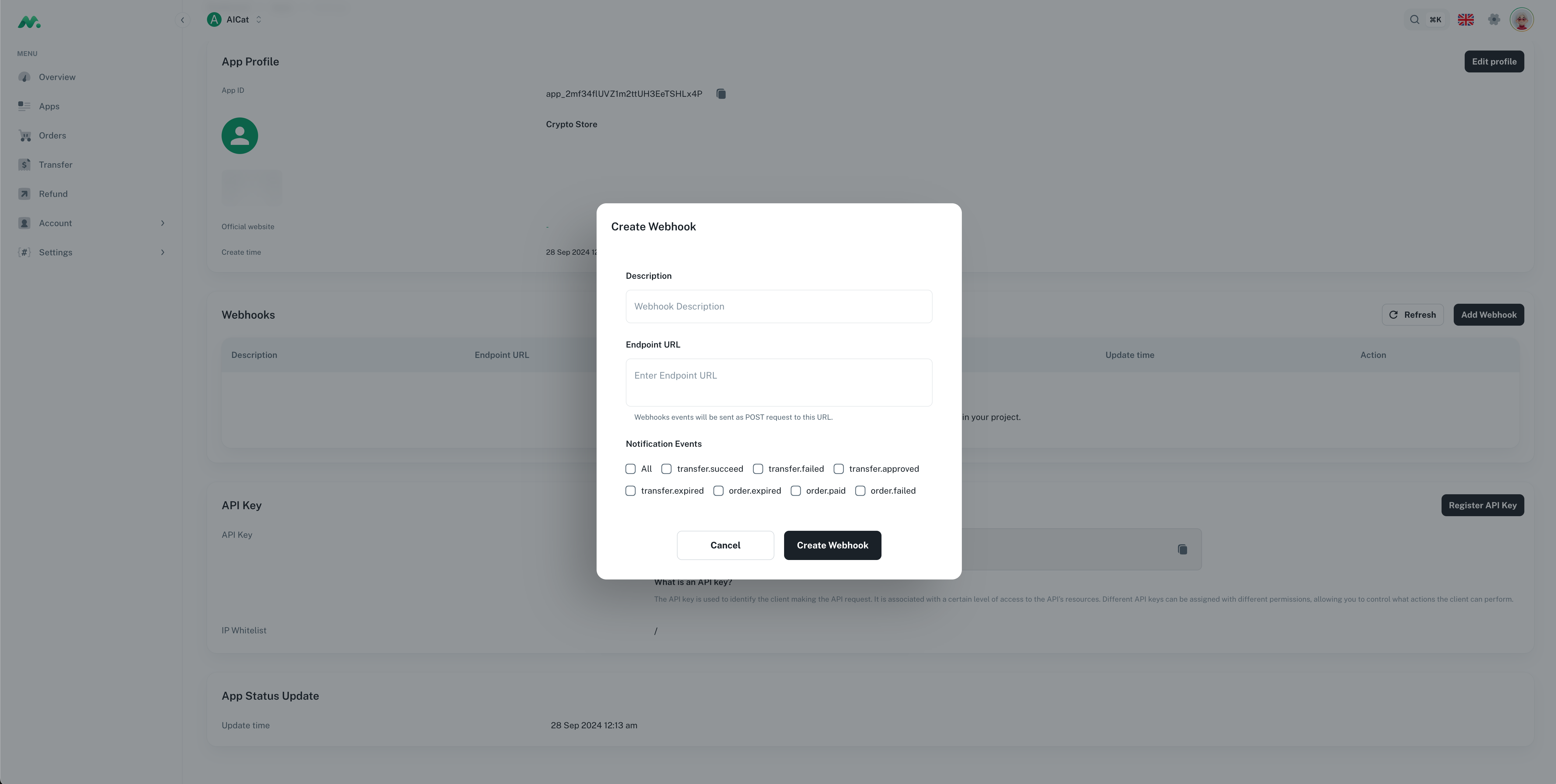
WebhookIf you need to use Webhook for order status callback notifications, you need to configure Webhook in the Dashboard first.
Add a webhook endpoint in Apps -> App Settings -> Add Webhook.
The detailed description of Notification Events can be found at Webhook Events.
SDK Integration
You can interact with the Wallet-Pay service through the SDK, which provides support for multiple languages, including Golang, NodeJS, and Java.
For the interfaces and their parameter descriptions involved in the SDK, please refer to the OpenAPI documentation WALLETPAY OPENAPI DOCUMENTATION .
Install SDK Dependencies
Golang
Add the following dependency to your go.mod file:
require github.com/openweb3-io/wallet-pay-openapi/go latestThen run the go mod tidy command to download the dependencies.
NodeJS
Use the following command to install the SDK:
pnpm i @openweb3-io/wallet-pay

# or

yarn add @openweb3-io/wallet-pay

# or

npm i @openweb3-io/wallet-pay
Java
If you are using maven for project management, you can add the following dependency to your pom.xml file:
<dependency>
    <groupId>io.openweb3</groupId>
    <artifactId>walletpay</artifactId>
    <version>0.2.15</version>
</dependency>
If you are using gradle for project management, you can add the following dependency to your build.gradle file:
implementation 'io.openweb3:walletpay:0.2.15'Initialize SDK
SDK initialization involves two parameters, ApiKey and Secret, which correspond to the public and private keys generated in the Register API Key step. ApiKey is the public key, and Secret is the private key.
Golang
import (
    "log"

    walletpay "github.com/openweb3-io/wallet-pay-openapi/go"
)

const (
    ApiKey = "YOUR_API_KEY"
    Secret = "YOUR_SECRET"
)

func main() {
    // Initialize ApiClient
    client := walletpay.New(&walletpay.ApiClientOptions{
        ApiKey: ApiKey,
        Secret: Secret,
    })
}
NodeJS
import { ApiClient } from "@openweb3-io/wallet-pay";

const ApiKey = "YOUR_API_KEY";
const Secret = "YOUR_SECRET";

const client = new ApiClient(ApiKey, Secret, {});
Java
import io.openweb3.walletpay.ApiClient;
import io.openweb3.walletpay.ApiClientOptions;

public class WalletPayExample {
    public static void main(String[] args) {
        String apiKey = "YOUR_API_KEY";
        String secret = "YOUR_SECRET";
        ApiClient apiClient = new ApiClient(
                new ApiClientOptions()
                        .apiKey(apiKey)
                        .privateKey(secret)
        );
    }
}
PHP
WalletPay does not currently support an SDK for the PHP language.
The interface signature algorithm can refer to the description in Authentication.
Sample code is as follows:
<?php

// The sodium extension is required (PHP >= 7.2.0)
if (!extension_loaded('sodium')) {
    die("Sodium extension required");
}

$body = 'post body data';
$uri = 'request uri';
$timestamp = 'current timestamp';

$content = $body . $uri . $timestamp;

// SHA-256 hash calculation
$hash = hash('sha256', $content, true);

// Decode API secret
$apiSecret = hex2bin('YOUR_API_SECRET');

// Generate key pair from seed
$keyPair = sodium_crypto_sign_seed_keypair($apiSecret);
$secretKey = sodium_crypto_sign_secretkey($keyPair);

// Ed25519 signature
$signature = sodium_crypto_sign_detached($hash, $secretKey);
echo "Signature: " . bin2hex($signature) . PHP_EOL;
Create Order
The Create Order API is used to create a new payment order in the Wallet-Pay system.
Request Parameters:
| Parameter | Type | Required | Description |
|---|---|---|---|
amount | string | Yes | Amount in nano units (multiply by 10^decimals) as string representation |
currency | string | Yes | Currency code, e.g.: USDT, TON, ETH |
uid | string | No | External ID, the order ID in the merchant system |
creator | string | No | Identifier of the user who created the order |
expiration | integer | No | Expiration time in seconds, order will be auto-canceled if not paid |
note | string | No | Order description from merchant |
metadata | Map<String, String> | No | Extra metadata (Key and Value must be strings) |
additional_fee_rate | number | No | Additional fee rate |
additional_fee_wallet_id | string | No | Additional fee wallet ID |
Response Parameters:
| Parameter | Type | Description |
|---|---|---|
id | string | System unique ID of the order |
amount | string | Order amount |
currency | string | Currency code |
status | string | Order status: pending, paid, failed, expired, completed |
created_at | string | Order creation time |
expiration | integer | Expiration time in seconds |
expired_at | string | Order expiration timestamp |
uid | string | External order ID |
creator | string | Creator identifier |
note | string | Order description |
wallet_id | string | Payment wallet ID |
user_id | string | Payment user ID |
paid_at | string | Payment time |
metadata | object | Order metadata |
Golang
import (
    "context"
    "encoding/json"
    "log"
    "math/big"

    walletpay "github.com/openweb3-io/wallet-pay-openapi/go"
)

const (
    ApiKey = "YOUR_API_KEY"
    Secret = "YOUR_SECRET"
)

func create() {
    // Initialize ApiClient
    client := walletpay.New(&walletpay.ApiClientOptions{
        Debug:  true,
        ApiKey: ApiKey,
        Secret: Secret,
    })

    // 1 USDT
    currencyCode := "USDT"
    amount := "1"

    currency, err := client.Currencies.FindByCode(context.Background(), currencyCode)
    if err != nil {
        log.Fatal(err)
    }

    // amountInBaseUnit = amount * 10^decimals
    amountBig, ok := new(big.Int).SetString(amount, 10)
    if !ok {
        log.Fatal("invalid amount")
    }

    // 10^decimals
    exp := new(big.Int).Exp(big.NewInt(10), big.NewInt(int64(currency.Decimals)), nil)

    // amount * 10^decimals
    amountInBaseUnit := new(big.Int).Mul(amountBig, exp)

    order, err := client.Orders.Create(context.Background(), &walletpay.CreateOrderRequest{
        Currency:   currencyCode,
        Amount:     amountInBaseUnit.String(),
        Expiration: walletpay.PtrInt32(10),
        Creator:    walletpay.PtrString("creator_user_id"),
    })
    if err != nil {
        log.Fatal(err)
    }
    buf, _ := json.MarshalIndent(order, "", "  ")
    log.Printf(string(buf))
}
NodeJS
import { ApiClient } from "@openweb3-io/wallet-pay";

const ApiKey = "YOUR_API_KEY";
const Secret = "YOUR_SECRET";

const client = new ApiClient(ApiKey, Secret, {});

const USDT = "USDT";
const AMOUNT = "1";

const { decimals } = await client.currencies.findByCode(USDT);

const order = await client.orders.create({
  currency: USDT,
  amount: (BigInt(AMOUNT) * (10n ** BigInt(decimals))).toString(),
  creator: "creator_user_id",
});

console.log(order);
Java
import io.openweb3.walletpay.*;
import io.openweb3.walletpay.models.*;

import java.math.BigInteger;

public class WalletPayExample {
    public static void main(String[] args) {
        String apiKey = "YOUR_API_KEY";
        String secret = "YOUR_SECRET";
        ApiClient apiClient = new ApiClient(
                new ApiClientOptions()
                        .apiKey(apiKey)
                        .privateKey(secret)
        );

        String currencyCode = "USDT";
        String amount = "1"; // readable amount

        // get currency info
        final Currency currency = apiClient.currencies().findByCode(currencyCode);
        System.out.println("currency: " + currency);

        // create order
        BigInteger amountInBaseUnit = new BigInteger(amount).multiply(BigInteger.TEN.pow(currency.getDecimals()));
        CreateOrderRequest orderIn = new CreateOrderRequest()
                .amount(amountInBaseUnit.toString())
                .currency(currencyCode)
                .creator("creator_user_id");
        final Order orderInfo = apiClient.orders().create(orderIn);
        System.out.println("orderInfo: " + orderInfo);

        // list orders
        final PageOrder orders = apiClient.orders().list(
                new OrderListOptions().currency("CoinBeta").size(20)
        );
        System.out.println("orderInfos: " + orders);
    }
}
Pay Order
Paying for an order requires launching the wallet for payment. The general process is as follows:
- The application frontend sends a request to the application backend to create an order.
- The application backend creates an order through the SDK and returns the order information to the frontend.
- After the application frontend receives the order information, it launches the wallet for payment through a specific URL.
- After the wallet receives the payment request, it will jump to the payment interface according to the order information and wait for the user to confirm the payment.
- After the payment is completed, the wallet will call back the
webhookinterface of the application backend. After the application backend receives the callback, it will perform subsequent processing according to the order status.
PS.
When using theopenweb3 mini applink, you must open it within the Dejoy app via sdk.openTelegramLink to successfully trigger the internal Dejoy wallet for payment.
The frontend URL for launching the wallet application is as follows:
# .env environment configuration

# telegram mini app
TELEGRAM_MANIAPP_DOMAIN=https://t.me/socialwalletbot/SocialWallet

# openweb3 mini app
OPENWEB3_MINIAPP_DOMAIN=https://openweb3.io/wallet_bot/wallet
On the frontend, by using the host above and appending parameters, you can launch the wallet for payment.
Taking the Telegram mini app as an example:
// example.tsx
import '@telegram-apps/sdk';

const link = `${process.env.TELEGRAM_MANIAPP_DOMAIN}?startapp=Pay_${order_id}`;

sdk.openTelegramLink(link);
QR Code Payment
In addition to launching the wallet through the SDK within a mini app, you can also generate a QR code from the payment link. Users can scan the QR code with DeJoy or Telegram to launch the mini app and complete the payment.
The general process is as follows:
- The application backend creates an order through the SDK and obtains the order ID.
- Append the order ID to the wallet application URL to generate a payment link.
- Convert the payment link into a QR code.
- The user scans the QR code with
DeJoyorTelegram. - The mini app is automatically launched, displaying the payment confirmation interface.
- After the user confirms the payment, the wallet notifies the application backend via a Webhook callback.
QR code generation sample code:
NodeJS
import QRCode from "qrcode";

// Generate payment link (choose the appropriate domain based on your platform)
const paymentUrl = `${process.env.OPENWEB3_MINIAPP_DOMAIN}?startapp=Pay_${order.id}`;

// Convert the link to a QR code (Base64 Data URL)
const qrCodeDataUrl = await QRCode.toDataURL(paymentUrl);

// Return qrCodeDataUrl to the frontend and display as an <img> element
console.log(qrCodeDataUrl);
Golang
import (
    "encoding/base64"
    "fmt"
    "os"

    "github.com/skip2/go-qrcode"
)

func generatePaymentQRCode(orderId string) (string, error) {
    paymentUrl := fmt.Sprintf("%s?startapp=Pay_%s", os.Getenv("OPENWEB3_MINIAPP_DOMAIN"), orderId)

    // Generate QR code image (PNG format, 256x256)
    pngBytes, err := qrcode.Encode(paymentUrl, qrcode.Medium, 256)
    if err != nil {
        return "", err
    }

    // Convert to Base64 Data URL
    base64Str := base64.StdEncoding.EncodeToString(pngBytes)
    return fmt.Sprintf("data:image/png;base64,%s", base64Str), nil
}
After scanning the QR code with DeJoy or Telegram, the app will automatically recognize the link and launch the corresponding mini app for payment.
Refund Order
The Refund Order API is used to initiate a full or partial refund for a paid order.
Request Parameters:
| Parameter | Type | Required | Description |
|---|---|---|---|
order_id | string | Yes | ID of the order to be refunded |
amount | string | Yes | Amount to refund in nano units (multiply by 10^decimals) |
uid | string | No | External ID, the refund ID in the merchant system |
note | string | No | Refund description from merchant |
Response Parameters:
| Parameter | Type | Description |
|---|---|---|
id | string | System unique ID of the refund |
order_id | string | ID of the associated order |
amount | string | Refund amount |
currency | string | Currency code |
status | string | Refund status: pending, failed, completed |
created_at | string | Refund creation time |
completed_at | string | Refund completion time |
failed_at | string | Refund failure time |
failed_message | string | Refund failure reason |
uid | string | External refund ID |
note | string | Refund description |
Golang
import (
    "context"
    "encoding/json"
    "log"
    "math/big"

    walletpay "github.com/openweb3-io/wallet-pay-openapi/go"
)
const (
    ApiKey = "YOUR_API_KEY"
    Secret = "YOUR_SECRET"
)

func createRefund() {
    // Initialize ApiClient
    client := walletpay.New(&walletpay.ApiClientOptions{
        Debug:  true,
        ApiKey: ApiKey,
        Secret: Secret,
    })

    // 1 USDT
    currencyCode := "USDT"
    amount := "1"

    currency, err := client.Currencies.FindByCode(context.Background(), currencyCode)
    if err != nil {
        log.Fatal(err)
    }

    // amountInBaseUnit = amount * 10^decimals
    amountBig, ok := new(big.Int).SetString(amount, 10)
    if !ok {
        log.Fatal("invalid amount")
    }

    // 10^decimals
    exp := new(big.Int).Exp(big.NewInt(10), big.NewInt(int64(currency.Decimals)), nil)

    // amount * 10^decimals
    amountInBaseUnit := new(big.Int).Mul(amountBig, exp)

    refund, err := client.Refunds.Create(context.Background(), &walletpay.CreateRefundRequest{
        OrderId: "order_123",
        Amount:  amountInBaseUnit.String(),
        Note:    walletpay.PtrString("test"),
    })
    if err != nil {
        log.Fatal(err)
    }

    buf, _ := json.MarshalIndent(refund, "", "  ")
    log.Printf(string(buf))
}
NodeJS
import { ApiClient } from "@openweb3-io/wallet-pay";

const ApiKey = "YOUR_API_KEY";
const Secret = "YOUR_SECRET";

const client = new ApiClient(ApiKey, Secret, {});

const USDT = "USDT";
const AMOUNT = "1";

const { decimals } = await client.currencies.findByCode(USDT);

const refund = await client.refunds.create({
    "orderId": "1234567890",
    "amount": (BigInt(AMOUNT) * (10n ** BigInt(decimals))).toString(),
    "note": "test refund",
});

console.log(refund);
Java
import io.openweb3.walletpay.*;
import io.openweb3.walletpay.models.*;
import java.math.BigInteger;

public class WalletPayExample {
    public static void main(String[] args) {
        String apiKey = "YOUR_API_KEY";
        String secret = "YOUR_SECRET";
        ApiClient apiClient = new ApiClient(
                new ApiClientOptions()
                       .apiKey(apiKey)
                       .privateKey(secret)
        );

        String currencyCode = "USDT";
        String amount = "1"; // readable amount

        // get currency info
        final Currency currency = apiClient.currencies().findByCode(currencyCode);
        System.out.println("currency: " + currency);

        BigInteger amountInBaseUnit = new BigInteger(amount).multiply(BigInteger.TEN.pow(currency.getDecimals()));
        CreateRefundRequest refundIn = new CreateRefundRequest().
               orderId("order_id").
               amount(amountInBaseUnit.toString());
        Refund refundInfo = apiClient.refunds().create(refundIn);
        System.out.println("refundInfo: " + refundInfo);
    }
}
Transfer
The Transfer API is used to transfer funds from the merchant wallet to the user wallet, suitable for scenarios such as reward redemption and bonus distribution.
Request Parameters:
| Parameter | Type | Required | Description |
|---|---|---|---|
amount | string | Yes | Amount to transfer in nano units (multiply by 10^decimals) as string representation |
currency | string | Yes | Currency code, e.g.: USDT, TON, ETH |
to_wallet_id | string | Yes | Recipient's wallet ID, support wallet ID、wallet uid、wallet user ID |
description | string | No | Transfer description |
tags | string[] | No | Transfer tags for categorization |
metadata | object | No | Extra metadata to store arbitrary key-value pairs |
Response Parameters:
| Parameter | Type | Description |
|---|---|---|
transfer_id | string | Unique identifier for the transfer |
Golang
import (
    "context"
    "encoding/json"
    "log"
    "fmt"
    "math/big"

    walletpay "github.com/openweb3-io/wallet-pay-openapi/go"
)

const (
    ApiKey = "YOUR_API_KEY"
    Secret = "YOUR_SECRET"
)

func transfer() {
    // Initialize ApiClient
    client := walletpay.New(&walletpay.ApiClientOptions{
        Debug:  true,
        ApiKey: ApiKey,
        Secret: Secret,
    })

    // 1 USDT
    currencyCode := "USDT"
    amount := "1"

    currency, err := client.Currencies.FindByCode(context.Background(), currencyCode)
    if err != nil {
        log.Fatal(err)
    }

    // amountInBaseUnit = amount * 10^decimals
    amountBig, ok := new(big.Int).SetString(amount, 10)
    if !ok {
        log.Fatal("invalid amount")
    }

    // 10^decimals
    exp := new(big.Int).Exp(big.NewInt(10), big.NewInt(int64(currency.Decimals)), nil)

    // amount * 10^decimals
    amountInBaseUnit := new(big.Int).Mul(amountBig, exp)

    transfer, err := client.Transfers.Create(context.Background(), &walletpay.TransferRequest{
        Amount:      amountInBaseUnit.String(),
        Currency:    currencyCode,
        ToWalletId:  "user_wallet_id",
        Description: walletpay.PtrString("Reward redemption"),
    })
    if err != nil {
        log.Fatal(err)
    }

    buf, _ := json.MarshalIndent(transfer, "", "  ")
    log.Printf(string(buf))
}
NodeJS
import { ApiClient } from "@openweb3-io/wallet-pay";

const ApiKey = "YOUR_API_KEY";
const Secret = "YOUR_SECRET";

const client = new ApiClient(ApiKey, Secret, {});

const USDT = "USDT";
const AMOUNT = "1";

const { decimals } = await client.currencies.findByCode(USDT);

const transfer = await client.transfers.transfer({
    amount: (BigInt(AMOUNT) * (10n ** BigInt(decimals))).toString(),
    currency: USDT,
    toWalletId: "user_wallet_id",
    description: "Reward redemption",
});

console.log(transfer);
Java
import io.openweb3.walletpay.*;
import io.openweb3.walletpay.models.*;

import java.math.BigInteger;

public class WalletPayExample {
    public static void main(String[] args) {
        String apiKey = "YOUR_API_KEY";
        String secret = "YOUR_SECRET";
        ApiClient apiClient = new ApiClient(
                new ApiClientOptions()
                        .apiKey(apiKey)
                        .privateKey(secret)
        );

        String currencyCode = "USDT";
        String amount = "1"; // readable amount

        // get currency info
        final Currency currency = apiClient.currencies().findByCode(currencyCode);
        System.out.println("currency: " + currency);

        // transfer funds
        BigInteger amountInBaseUnit = new BigInteger(amount).multiply(BigInteger.TEN.pow(currency.getDecimals()));
        TransferRequest transferIn = new TransferRequest()
                .amount(amountInBaseUnit.toString())
                .currency(currencyCode)
                .toWalletId("user_wallet_id")
                .description("Reward redemption");
        TransferResponse transferInfo = apiClient.transfers().create(transferIn);
        System.out.println("transferInfo: " + transferInfo);
    }
}
Callback Handling
Callback handling mainly consists of 3 parts:
- Verify signature
- Event deduplication
- Process event
For a detailed description of callbacks, please refer to walletpay-introduction-to-webhooks.
The PublicKey required for Webhook callback verification can be found in the Dashboard under settings -> developer.
Sample code for webhook signature verification is as follows:
Golang
import (
    "log"
    walletpay "github.com/openweb3-io/wallet-pay-openapi/go"
)

const (
    publicKey = "YOUR_PUBLIC_KEY"
)

func webhook() {
    client, err := walletpay.NewWebhookClient(publicKey)
    if err != nil {
        log.Fatal(err)
    }

    payload := []byte("content from webhook request body")
    signature := "content from webhook request header: X-Signature"

    // Verify signature
    err = client.Verify(payload, signature)
    if err != nil {
        log.Fatal("signature verify failed")
    }

    // TODO Signature verification successful, process related business
}
NodeJS
import { WebhookClient } from "@openweb3-io/wallet-pay";

const PUBLICKEY = `-----BEGIN RSA PUBLIC KEY-----
YOUR KEY CONTENT
-----END RSA PUBLIC KEY-----`;

// Request headers with X-Signature and Payload, Verify the signature method
const payload = 'content from webhook request body';
const signature = 'content from webhook request header: X-Signature'
const webhookClient = new WebhookClient(PUBLICKEY);
const result = webhookClient.verify(payload, signature);
if (result) {
  // TODO Signature verification successful, process related business
} else {
  // Signature verification failed, callback is not credible, please ignore
}
Java
import io.openweb3.walletpay.*;

public class WalletPayExample {
    public static void main(String[] args) {
        String publicKey = "YOUR_PUBLIC_KEY";
        String payload = "content from webhook request body";
        String signature = "content from webhook request header: X-Signature";

        // verify the webhook payload
        WebhookClient webhookClient = new WebhookClient(publicKey);
        boolean ok = webhookClient.verify(payload, signature);
        System.out.println("verify " + (ok? "success" : "fail"));
        if (ok) {
            // TODO process the webhook event
        } else {
            // TODO handle the verification failure
        }
    }
}
PHP
function verify($data, $publicKey, $signature) {
    // PEM decode (PHP will automatically handle PEM format)
    $pubKey = openssl_pkey_get_public($publicKey);
    if ($pubKey === false) {
        throw new Exception("Public key error: " . openssl_error_string());
    }

    // Base64 decode the signature
    $signBytes = base64_decode($signature, true);
    if ($signBytes === false) {
        error_log("Signature contains invalid characters: $signature");
        throw new Exception("Invalid base64 signature");
    }

    // SHA256 hash calculation
    $hashed = hash('sha256', $data, true);

    // Verify signature
    $result = openssl_verify(
        $hashed, // Use the hashed data for verification
        $signBytes,
        $pubKey,
        OPENSSL_ALGO_SHA256
    );

    // Free key resource
    openssl_free_key($pubKey);

    // Handle verification result
    if ($result === 1) {
        return null; // Verification successful
    } elseif ($result === 0) {
        return new Exception("Invalid signature");
    } else {
        throw new Exception("Verification error: " . openssl_error_string());
    }
}

// Test execution code
try {
    $data = "content from webhook request body";
    $publicKey = "your public key from wallet-pay dashboard";
    $signature = "content from webhook request header: X-Signature";

    $result = verify($data, $publicKey, trim($signature));

    if ($result === null) {
        echo "verify success\n";
    } else {
        echo "verify failed: " . $result->getMessage() . "\n";
    }
} catch (Exception $e) {
    echo "exception: " . $e->getMessage() . "\n";
}
Updated 5 months ago